
Local processing
All processing happens on your computer. Your photos don't need to be sent to the cloud — that means maximum speed and total privacy.
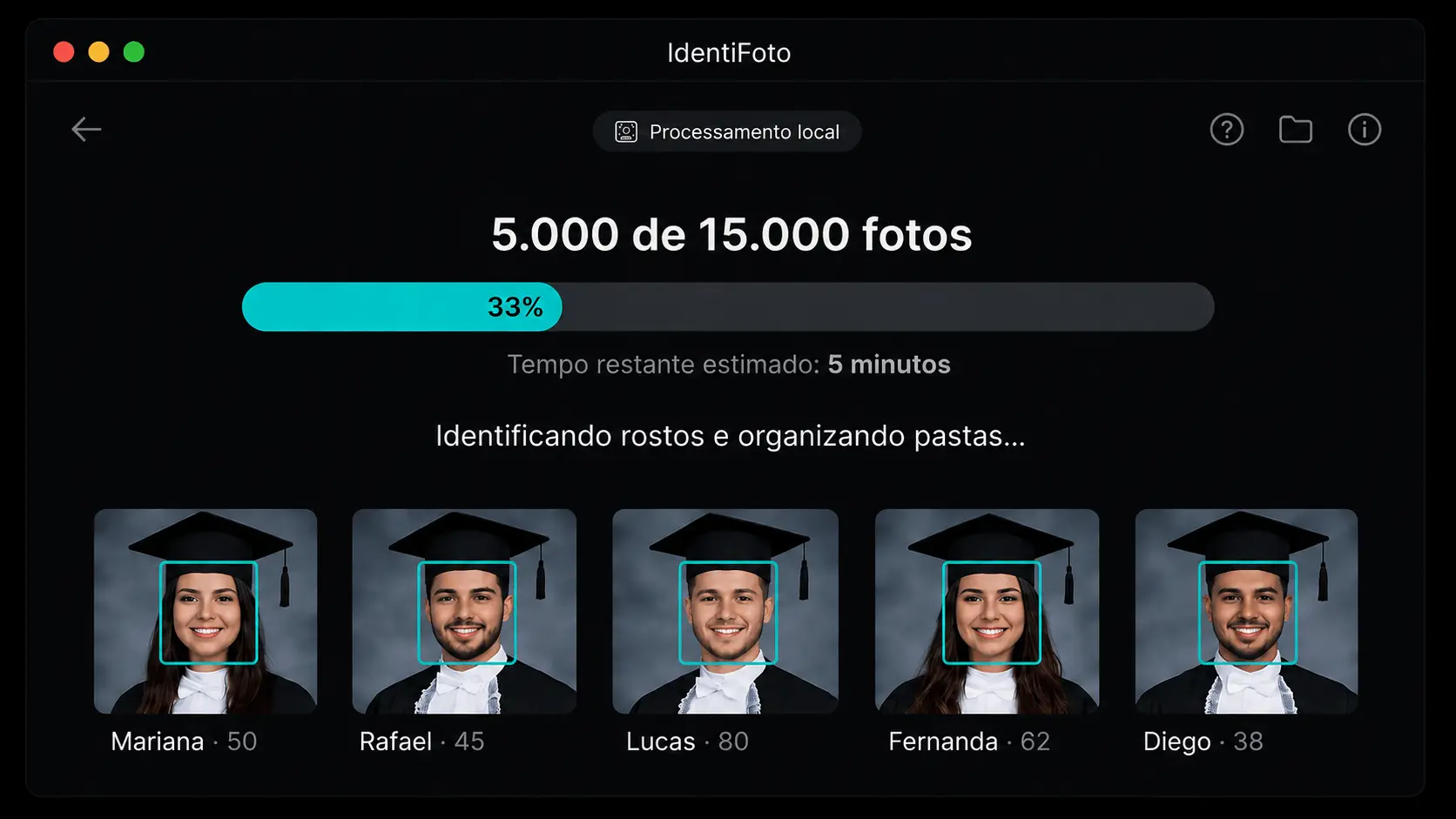
Facial recognition · AI on your machine
IdentiFoto uses AI facial recognition to sort and organize your photos automatically. No uploading thousands of photos to the cloud — processing happens on your machine, with total privacy and the best value on the market.
Minutes
to sort thousands of photos
+99%
facial recognition accuracy
100%
private — no data sent to servers
Best
value on the market
If you're a graduation, corporate event, or wedding photographer, among others, you know what it's like:
What if there was software that did all of this in minutes, right on your machine, without sending a single photo anywhere?
Discover IdentiFotoThe product
IdentiFoto is AI facial recognition software that automatically sorts and organizes your event photos.
The big difference? Processing happens on your machine. No uploading thousands of photos. No waiting for file transfers. No sharing client data with external servers.
You install it, select the folders, click start, and you're done. The AI does the heavy lifting while you focus on what really matters.
Flow
Everything on your computer — no cloud storage for the event archive.
In practice
Conceptual view of how the AI identifies graduates and organizes material per person.
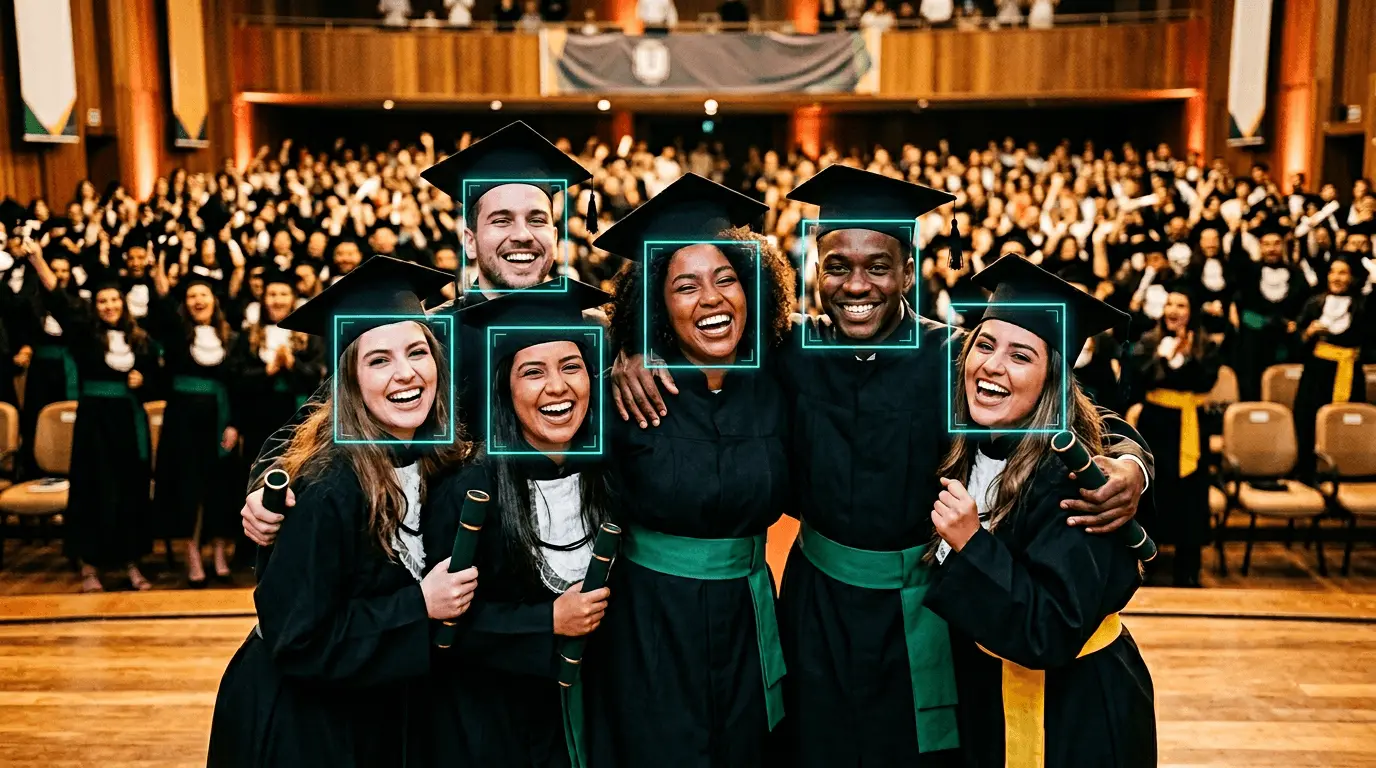
Face detection at the event
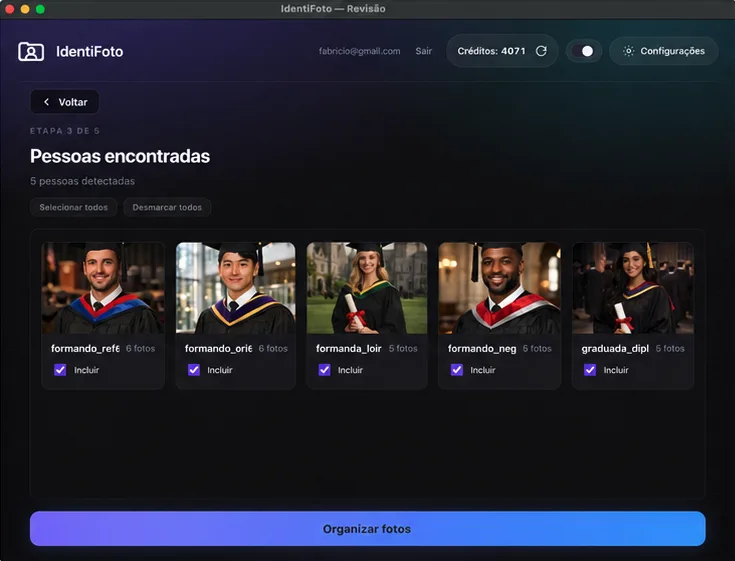
The AI locates faces at the event — including in the background — to classify each photo accurately.
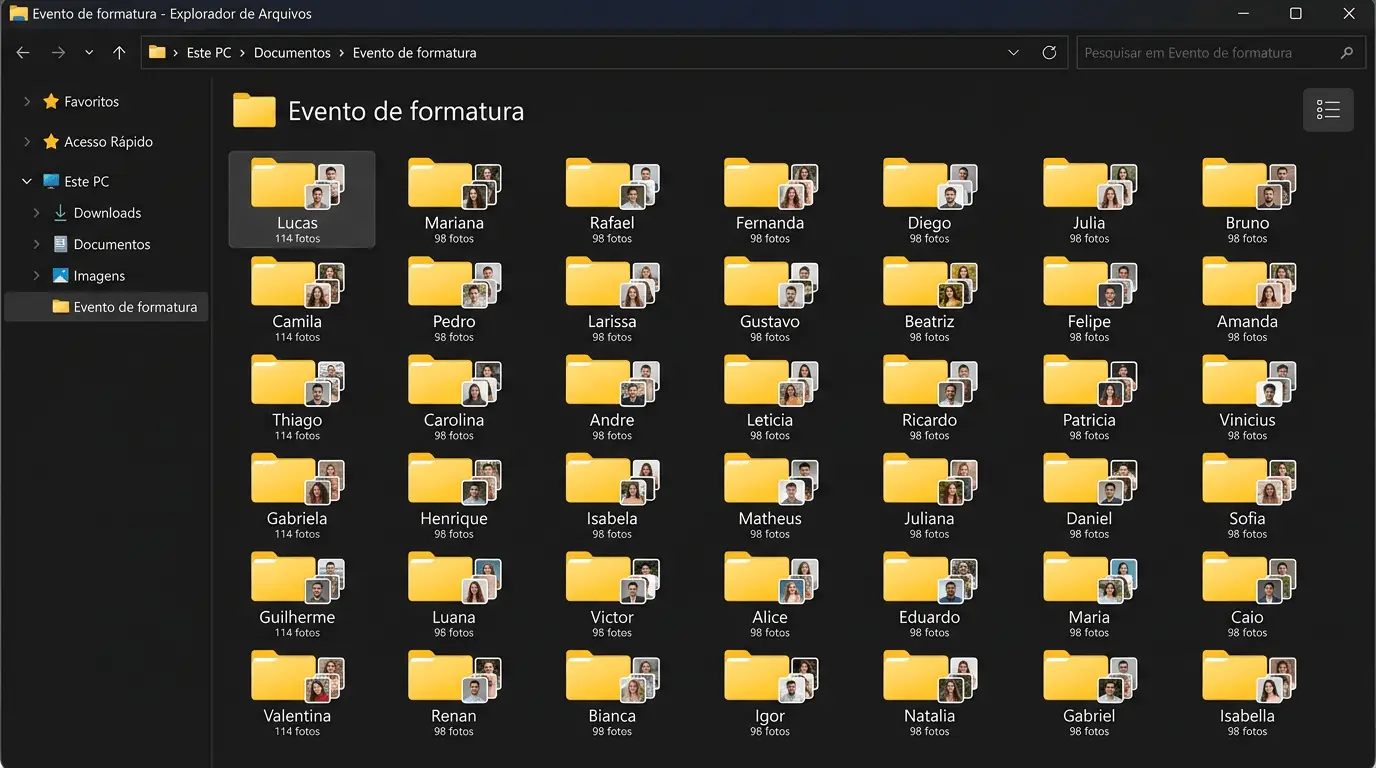
Folders per graduate
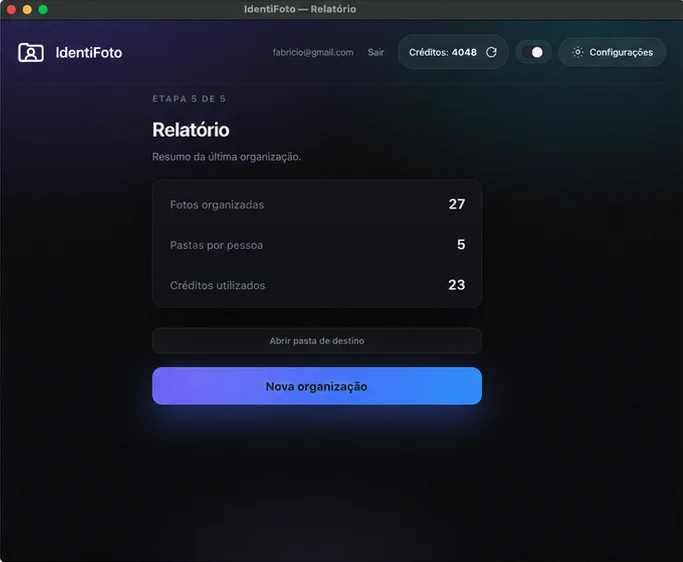
In the end, everything is grouped in an event folder, with a subfolder for each person — ready for review and delivery.
Step by step
Download is quick and installation takes less than 2 minutes. Works on Windows and Mac. No complex setup required.
Point to the folder where the event photos are. IdentiFoto accepts JPG images and works with any volume — from hundreds to tens of thousands of photos.
Select the folder with photos of the people you want the system to identify and sort automatically. Each image should contain only one face, clearly visible and well lit. For example, if you want to sort 29 graduates, this folder should contain one photo of each.
In minutes, your photos will be sorted by person in organized folders. No waiting to upload thousands of photos to the cloud.
Why switch
All processing happens on your computer. Your photos don't need to be sent to the cloud — that means maximum speed and total privacy.
No photos are sent to external servers. Your clients' photos stay where they should: under your control.
Cloud solutions often require uploading thousands of photos and then downloading results — steps that can take hours. With IdentiFoto, everything stays on your machine: no sending the archive, no downloading huge packages from the cloud. Processing starts immediately.
High-precision facial recognition algorithm that identifies almost all photos with faces at different angles, foreground or background.
IdentiFoto identifies the graduate both in focus and in the background of the photo.
Sort thousands of photos in minutes. No waiting in shared server queues.
No complexity. Anyone can use it — select the folders, click start, and let the AI work. No technical knowledge required.
IdentiFoto offers the best value among photo sorting tools. Reduce manual labor costs, deliver faster, and win more clients — paying less.
Built with people who live events
IdentiFoto was built together with event photo editors who work with graduations, large volumes, and tight deadlines for over 10 years. The interface and workflow reflect what really matters in day-to-day post-event work — not lab theory.
Transparency
| Feature | IdentiFoto | Cloud |
|---|---|---|
| Processing | Local, on your machine | Remote servers |
| Photo upload | Not required | Required (can take hours) |
| Photo download | Not required — files are already on your disk | Usually required to bring results from the server |
| Photo privacy | Total — photos never leave your PC | Photos sent to third-party servers |
| Processing speed | Instant, no queue | Depends on server and connection |
| Background detection | Yes | Yes |
| Same photo for multiple graduates (e.g. class) | Each photograph counts once in credits: we don't charge again for the same image, even if it's copied to the folder of 10, 20, 30 or more graduates. | they charge repeated credits for the same photograph whenever it's used for different graduates, generating multiple charges for the same image |
| Ease of use | Very simple | Many steps |
| Value for money | Best on the market | Higher prices |
With IdentiFoto, you get the same facial recognition accuracy as cloud solutions, but without waiting for cloud upload and download, with total privacy.
Interface
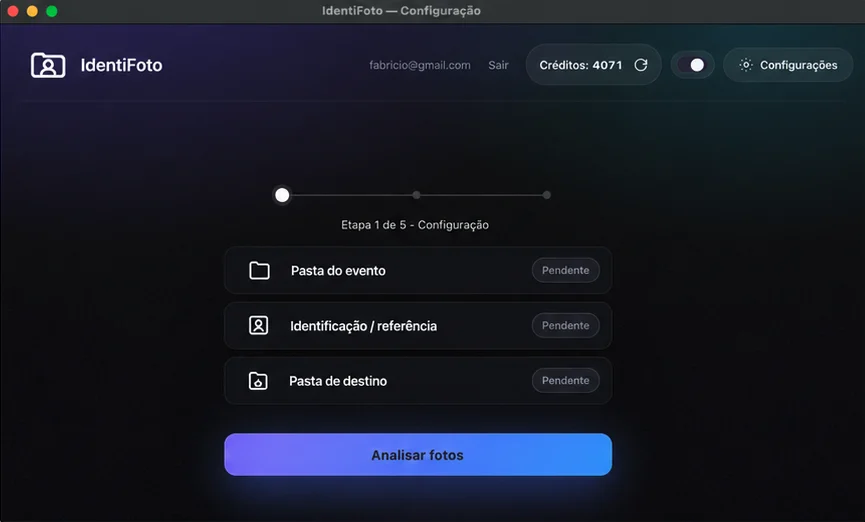
From setup to delivery — see how IdentiFoto guides each step with a clear, focused interface.
In practice
"IdentiFoto completely changed my workflow. I used to take 2 days to sort graduation photos. Now I do it in minutes. And the best part: no upload or download needed."
"Privacy is what convinced me. My clients trust me with their photos and I wasn't comfortable sending everything to a cloud server. With IdentiFoto, photos never leave my machine."
"I tried online solutions and upload time killed me. With IdentiFoto, it's instant. I select the folders and it starts processing right away. The accuracy is impressive — it even catches faces in the background."
"Super simple interface. I had my assistant use it and she learned in 5 minutes. Now I can handle many more events per month."
Get started
Click the button below and start a conversation with our team. We'll understand your needs and unlock a free trial for you to try with your own photos.
Install IdentiFoto, run it with your photos, and see the magic happen. No commitment. No credit card.
Questions
Yes! The interface is extremely simple and intuitive. Just select the folder with all event photos, the folder with reference photos, and click start. The AI does the rest.
Yes, but very lightly: the connection is used only to log in and check if credits are available on your account. Facial recognition and photo sorting happen on your machine — you don't need to upload thousands of photos to the cloud.
No. No photo leaves your computer. Facial recognition happens locally on your machine, ensuring your clients' data stays 100% under your control.
IdentiFoto has over 99% facial recognition accuracy, identifying faces even at different angles, partially covered, or in the background of photos.
However, very blurry images, with the face excessively turned sideways, or with hands covering most of the face may not be recognized. This happens because the reference used is the person's face from the front, ensuring greater identification accuracy.
Graduations, weddings, corporate events, parties, religious ceremonies — any event where you need to sort photos by person using facial recognition.
No. No alteration, compression, or modification is made to the original images. IdentiFoto only copies and organizes photos into the corresponding folders.
IdentiFoto works on Windows 10 and Windows 11, and also on Mac (macOS).
IdentiFoto works well on most modern computers. For better performance with large photo volumes, we recommend a recent processor and at least 8GB of RAM.
We work with credit packages. You choose the amount you need and credits don't expire — they stay available in your account for when you need them.
Yes! Talk to our team on WhatsApp and we'll unlock a free trial for you to try with your own photos before deciding.
Thousands of photos sorted in minutes. No upload, no download, no waiting. Total privacy and the best value on the market.
Click the button below, talk to our team, and get your free trial today.
I want to try IdentiFoto for freeNo commitment · No credit card · Test with your own photos